Posts

NEC PA311D - Hardware HDR mapping curves with BT.2390 tone mapping

Image
As I've described in my previous review , NEC PA311D is an excellent monitor, with great out of the box performance. One thing I found over time can be improved with proper tuning is the HDR handling.

NEC PA311D review: modern IPS monitor, low glow and great uniformity

Image
I am a professional software developer, who also a gamer. I want a monitor which just does a job of displaying images correctly - I also have background in graphics programming so I have a keen eye. But for some reason it was really hard to get one recently. 10 years ago, I had a Dell Ultrasharp monitor which had no issues whatsoever. However, eventually it got somewhat dated and I thought “its time to upgrade”. So, I’ve tried these new & shiny “gaming monitors” with all these new bells & whistles (and I’ve actually bought 3 different ones, and pricier ones). To cut it short, they all had issues in one form or another – even while all these fancy feature boxes were ticked, but always at expense of something else, or not working quite perfectly all the time.

Water Cooling? Not Needed!

Image
So I was looking how quiet can I make my recent PC build. CPU was easy with good tower cooler ( Noctua NH-U14S ). Then I wondered if there any way to make EVGA GeForce 1080 TI SC2 any quieter - it has a decent cooling solution, but still the loudest component on full load. I was told that "to make such powerful GPU quiet, you have to water cool". Surely, water cooling either by custom loop or by AIO can be done. But then I wondered - if 2x120mm radiator seems to be enough to run 1080 ti quiet & cool, why such radiator can't be mounted on card directly, akin to CPU cooler? There seem to be enough space. And voila - apparently there is such a thing - aftermarket GPU air cooler. Specifically "Morpheus II" by Raijintek . Cost - about the same as 240mm radiator, but without associated costs (and noise) of extra plumbing & pumping. Heat sink have arrived and I've mounted 2x120mm  SilentWings 3 fans from beQuiet  on it. These fans I consider the best ...

Washing Machine Modding

Image
So I have this washer-dryer which I really like, used it for years and for this reason even bought exact same model when moved to a new house. It very good no-frills design, and, most importantly, actually performs all functions well - for example, dryer function actually produces *almost dry* laundry unlike my first Bosch which only produced damp&hot. But it has one downside - it does not have an audible signal. With the main annoyance that you often miss the end of a cycle, which most commonly happens - you load the machine, it runs for some hours, then you busy with other things, and then its finished, but you've forgotten to check it. Its not the end of the world, but laundry sitting inside drum for long time quickly becomes wrinkled (and in dryer case it gives opportunity for moisture to re-settle). Also even if you listening for machine to become quiet, this does not actually mean its ready to open the door - because there is time-delay lock on the door which click...

Powering Your Gadgets in the Wilderness

Image
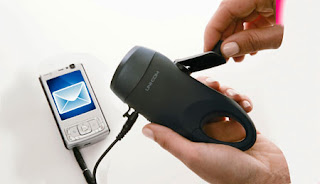
In discussions with other gadgets users, often the problem of getting extra power comes up. Particularly when you are away from power outlets for prolonged time - e.g. on the nature hike. Two "miracle solutions" always inevitably come up - using muscle power ("wind-up chargers") or using solar power. On first look, they appear to be perfect. However, they have very significant shortcomings in reality:

Choosing the Best Disk Image Backup Software - Comparison Review

Image
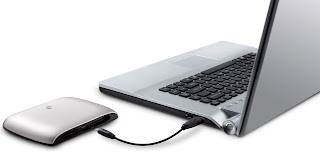
My PC configuration involves single big SSD to store data (currently 512GB Crucial M4). This provides best performance and convenience of single hard drive. However, for obvious reasons it makes regular backups even more paramount - since SSDs are being generally less reliable than usual magnetic drives. To backup data, I use 2.5" hard drive enclosure, connected with eSATAp(Powered eSATA) interface - this way only single cable is required, while providing maximum speed and transparency. Previously I was using Windows 7 built in backups (System Image), protected with Bitlocker to Go encryption. But recently I was badly burned by this setup, when my SSD developed single faulty bad sector. It wasn't too bad, until Windows Backup failed to properly backup this and didn't indicate a fault - but aborted backup early indicating a "success". Then it became apparent only after I tried to re-image SSD using this corrupt backup - necessitating a roll-back to previous,...

CityHash64 and Finding Collision Samples for it

Image
CityHash is a modern family of hash functions for strings (variable-length arrays) that provides one of the best performance and quality, requiring only standard 64-bit instructions for optimal performance. This makes it very useful "general-purpose" hash. In particular, CityHash64 hashes to 64-bit value, which makes it primary function of choice on 64-bit platform. For some tests (e.g. containers), it's beneficial to know which pairs of strings will produce same hash value (collision). Finding collisions for well-designed hash function could be difficult - since brute force most likely will be most viable approach. I've recently have calculated some collisions for CityHash64 using multi-threaded birthday attack algorithm. So I provide two such pairs there for your convenience: StrA=" oH]pPZccPmOEHjBW " StrB=" vm`sd|obCXIKJ}aE " CityHash64= DCBE2B1930540000 StrA=" ?];lLLK:R_@XddTg " StrB=" bgW^Wi]IkQgDM3WW " CityHa...

Choosing the Good Wireless Keyboard - Trial of Logitech K360

Image
I've bought the Logitech K360 wireless keyboard in addition to K800 just to try, which one I will like more (K800 was the obvious first choice, because of standard full size layout, palmrest, backlit keys and unifying nano-receiver support). I wanted to also try K360, because it has compact layout that I like coming from laptops (dispenses with right-side key duplication), and also it looked much like my laptop chiclet keyboard (that I liked). However, on actually trying the K360 out I've found it to be worse in feel:

Google Chrome 15 for High DPI display

Image
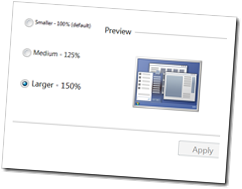
* Update - in version 17 Google finally have added ability to set zoom factors like 125% and 150%. This makes Chrome perfectly suitable for High DPI browsing out of the box. This article is kept for historical reasons only. * * Update 2 - some people getting blurry Chrome 17 out of the box on High DPI displays. To solve this, open Task Manager, right click on Chrome.exe process, Properties, Compatibility, tick "Disable Display Scaling on High DPI", restart Chrome * Previously I have posted an article about common problems with and choosing the best web browser for High DPI displays. Since then, Google addressed situation somewhat - they've introduced some experimental default zoom setting support to Chrome. However, I still prefer some alterations kept from my previous patches, so I am still making customized versions.

Is Thinkpad W701 MXM? Kind of. Upgradeable? Nope :(

Image
When I've chosen Thinkpad W701 as a laptop, one of the potential pluses I've considered is the usage of MXM 3.0 Type B slot for video card. Because MXM is a standard like PCIe, it would have potentially enabled upgrading to more powerful third-party graphics card. The Quadro 2800M is still quite respectable, but recent-gen like AMD 6970M already does better. Of course I did realise this was a  potential , not guarantee , but it still worth to try. In my previous blog post I've described details of mechanical tinkering, you can read it here - Thinkpad W701–anatomy of MXM video module Since I've established that mechanically and electrically almost any MXM card would be accepted, all that remained is to try the actual card(s) - I was prepared to try several different ones starting from most powerful in case it would not work.

Thinkpad W701–anatomy of MXM video module

Image
Recently I’ve partially disassembled my Lenovo Thinkpad W701 laptop to check out the seating design of MXM 3.0 Type B module it uses, and to check out the construction of the heatsink/fan thermal module. This is to determine at least mechanical feasibility of upgrading to another MXM 3.0b video card (software compatibility is still uncertain – trying will be the only option). I’ve took a lot of pictures to illustrate the whole process.

Google Chrome for High DPI display

*Update - this article is kept for historical reasons only. For present situation with High DPI web surfing, please refer to a newer article* It’s not easy to find a browser with good High DPI support. A challenge that on high DPI display web content must be scaled up, otherwise it appears too small (being made for 96 DPI). While not a big problem with vector fonts and images, rescaling raster images is a challenge. Hard to rescale up just slightly – usually image is made blurry. Up to now Google Chrome has the best upscale implementation (at least in my eyes). It also has pretty good zoom support, with only caveat – now there is no way to set default zoom level not to 100%. Surely they didn’t expect people to set zoom level on every new site they visit? Setting global zoom with extensions is not quite the same – extensions have no access to this zoom setting, they try to imitate global zoom by zooming the root HTML element, which is not working perfectly in many cases. Th...

Choosing an excellent Headset/Headphones – Part 2

Well, after all I’ve decided to go with Etymotic Research hf2 . They have so much clearer sound, you really hear each separate instrument. I’ve already used to how deep they go in the ear – this is a plus actually, since they are quite comfortable while sitting very securely without falling out. Ultimate Ears SuperFi 5vi were good, but just too artificially bass-y while “mushy” overall. Checks for frequency response confirmed this. They were somewhat quicker to insert/remove, but isolation was a lot worse, they were more prone to falling out and also response/action button was located very low on the cord for some reason.

Choosing an excellent Headset/Headphones

Now that I finally have standard 3.5 mm TRS jack on my new and shiny Motorola Milestone , I can finally upgrade to high quality headset without resorting to additional cables/cumbersome adapters. I go with in-ear headphones. Supra aural ones are not really that accurate and hard to wear in all settings (i.e. on the street). Ear buds are generally bad, because they don’t isolate at all. Currently I am comparing two headsets: Ultimate Ears SuperFi 5vi Etymotic Research hf2 Doing extensive listening tests on both. Up to now, wavy opinion – Ultimate Ears have more perceivable bass, but sound more “mushy”. While Etymotics are crystal clear, you can hear so much detail of music its overwhelming, but they may seem to sound a bit “dry” and bass-less because of high accuracy. Guess will play with both for a while to see if opinion stabilizes ;)

Enabling Additional Features on Synaptics Touchpad

I think majority of modern laptops use Synaptic touchpad in them. These are capacitive input panels, so naturally they can detect multiple finger presses at once. Recent Synaptics drivers have a lot of multi-touch gesture functionality in them. However, you will find most of it disabled on many notebooks – I think for marketing reasons (or maybe to avoid aggravating Apple too much ;) ). However, all multi-touch functionality is present on standard driver, and just artificially “hidden” using registry keys (which are even named like “HideTwoFingerScrolling”, how honest of them ;) ). So, to re-enable missing features just: Download this .reg file , save it somewhere – on your desktop for example. Do not choose “Open” in browser, choose “Save To…”! Click on it to open in Explorer ( important! open from Windows Explorer/Desktop only, not directly from your web browser, not from third-party file managers like Total Commander – to make sure it will use correct registry on 64...

Choosing a Pocket Multi-tool

Personally I think pocket multi-tools (as a superset of more well-known Swiss Army knives) are very useful. You never know when during the course of day you’ll need to cut a package or envelope open, snip a loose thread, open a bottle or unscrew/screw down something. It’s bad when you don’t have proper tools nearby (but even when you do, it’s often a hassle to fetch/put them back). That’s why it’s extremely good to always have multi-tool in your pocket, especially when it’s small and light enough to be unnoticeable. Obviously compactness comes at the price of less features, it’s always a compromise.